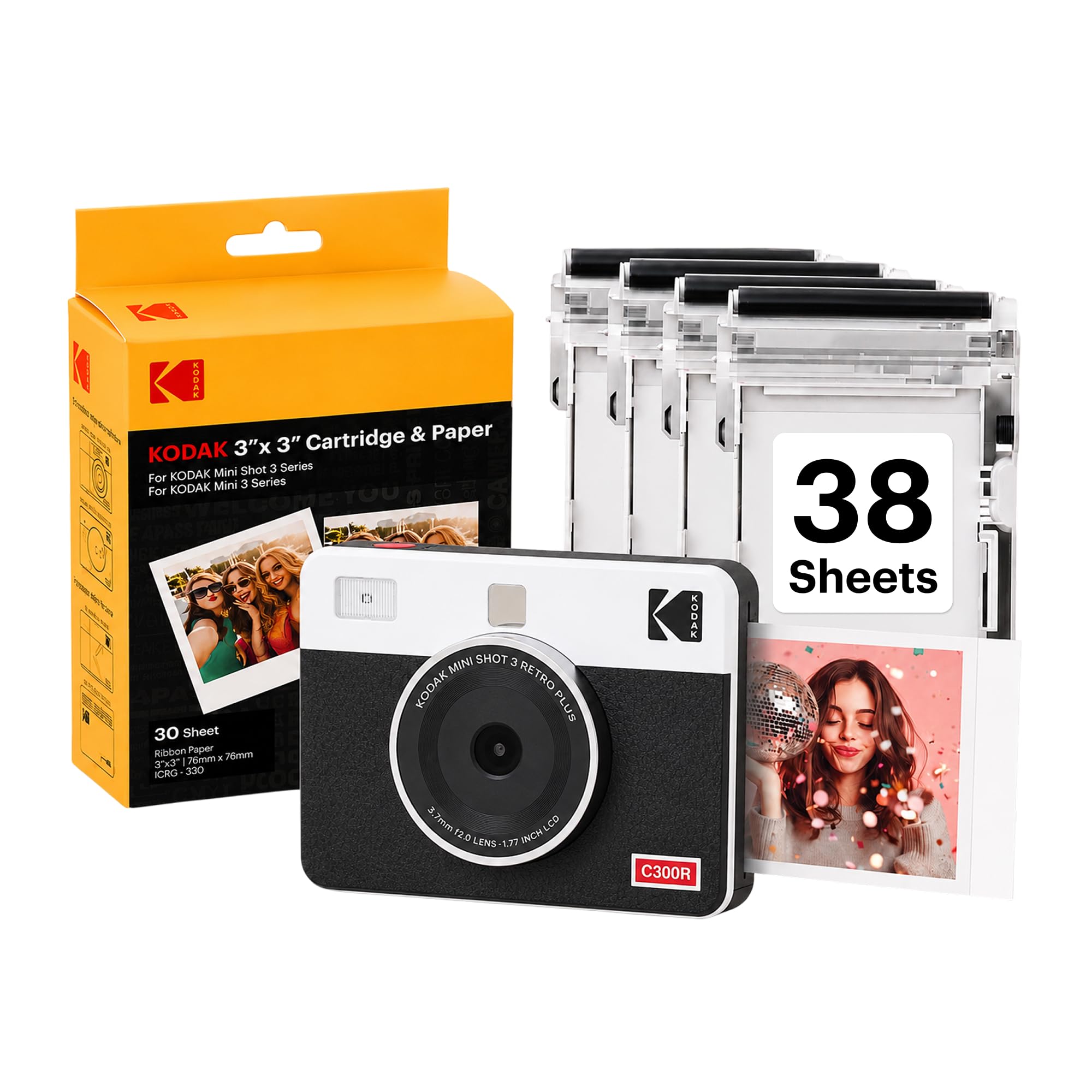
The Kodak Mini Shot 3 Retro combines a digital camera with a portable photo printer, making it easy to turn spontaneous shots into physical keepsakes.
This kodak mini photo printer review looks at how its square prints, phone connection, and included paper suit everyday creative use.
Kodak Mini Shot 3 Review Summary
The quick verdict
6,000+ ratings
Read Amazon ReviewsKodak Mini Shot 3 Retro
A good fit for casual photographers who want a pocketable camera and larger square prints, plus the option to print edited photos from a phone.
- Combines a digital instant camera and a portable photo printer in one device.
- Prints 3-by-3-inch square photos using 4PASS dye-sublimation printing, with three color layers and a clear protective lamination layer.
- Offers Bluetooth printing from compatible iOS and Android devices through the KODAK Photo Printer app, with options to edit and crop images.
- Includes a 10 MP still resolution, automatic exposure, auto and scene shooting modes, and an LCD viewfinder.

Pros
- Combines camera and printer functions, so phone-free snapshots can become prints directly from the device.
- Square 3-by-3-inch photos work well for albums, scrapbooks, and small displays.
Consider before buying
- The 3-by-3-inch output is bulkier to carry and store than compact wallet-size prints.
- The dye-sublimation system uses cartridges and paper, so ongoing printing depends on keeping compatible supplies on hand.
Read the full review summary
The Mini Shot 3 Retro is designed for people who want to shoot and print from one compact device.
Its 10 MP camera, automatic exposure, LCD viewfinder, and simple controls support casual snapshots, while Bluetooth and the KODAK Photo Printer app let you crop and customize photos from a compatible phone before printing.
Its main appeal is the 3-by-3-inch square format and 4PASS dye-sublimation process, which adds a protective lamination layer to each print. The included four cartridges and 38 sheets make the bundle ready for a first batch of photos.
It suits scrapbooks, parties, school projects, and small displays; buyers who want tiny sticky-backed prints or a camera focused on advanced photography may prefer a different format or tool.
The buying factors
Kodak Mini Shot 3 Scorecard
Editorial scores reflect listed features and buyer fit; they are not laboratory measurements or customer ratings.
Print format
The 3-by-3-inch square output gives snapshots a larger, scrapbook-friendly shape, though it takes more space than miniature prints.
Printing finish
The 4PASS process uses three color layers and a clear lamination layer, a considered approach for handled keepsakes.
Phone printing
Bluetooth and the KODAK Photo Printer app enable printing with edits, crops, and customizations from compatible iOS and Android devices.
Everyday simplicity
Straightforward controls and automatic exposure are approachable for beginners and casual use.
Portability
The compact, hand-sized design is intended for bags and on-the-go use, while the square print format is less pocket-friendly than smaller output.
Ready-to-use bundle
Four cartridges and 38 sheets are included, along with a USB-C cable and strap, so buyers have supplies for initial use.
Key Features and Specifications of Kodak Mini Shot 3
- Combines a digital instant camera and a portable photo printer in one device.
- Prints 3-by-3-inch square photos using 4PASS dye-sublimation printing, with three color layers and a clear protective lamination layer.
- Offers Bluetooth printing from compatible iOS and Android devices through the KODAK Photo Printer app, with options to edit and crop images.
- Includes a 10 MP still resolution, automatic exposure, auto and scene shooting modes, and an LCD viewfinder.
- The bundle includes four cartridges, 38 sheets of photo paper, a USB Type-C cable, a strap, and a user guide.
Pros and Cons of Kodak Mini Shot 3
Pros
- Combines camera and printer functions, so phone-free snapshots can become prints directly from the device.
- Square 3-by-3-inch photos work well for albums, scrapbooks, and small displays.
- Phone app editing offers extra control over crops and presentation before printing.
- The included paper and cartridges provide supplies for getting started.
Consider before buying
- The 3-by-3-inch output is bulkier to carry and store than compact wallet-size prints.
- The dye-sublimation system uses cartridges and paper, so ongoing printing depends on keeping compatible supplies on hand.
- A single print takes approximately 55 seconds, which may feel slow if you want to produce a large batch quickly.
Who Should Buy Kodak Mini Shot 3?
Good fit
Consider the Mini Shot 3 Retro if you want a camera and printer in one device for casual moments, trips, parties, or creative projects.
Its simple controls and automatic exposure keep the camera side approachable, while phone printing gives you another way to choose and prepare images.
The square format is a particularly good match for scrapbook pages and album collections. The initial bundle includes 38 sheets and four cartridges, and the laminated 4PASS output is designed for a finished keepsake feel.
Check the recurring cost and availability of compatible paper and cartridges if you expect to print often.
It can also work as a shared activity camera for families or groups: take a picture, then pass around a physical copy. Think about whether the 3-by-3-inch format suits the places you plan to keep or display photos.
Who should skip it
Skip it if you mainly want very small prints that fit in a wallet or use adhesive backs; its square 3-by-3-inch format is better suited to albums and displays.
Choose another kind of camera if your priority is extensive photographic control or a device for capturing images without a print-centered workflow. The listed shooting options are oriented toward straightforward everyday use.
How the Kodak Mini Shot 3 Fits Everyday Printing
A camera and printer for spontaneous moments
The all-in-one design reduces steps between taking a photo and sharing a physical copy. It is useful when the print itself is part of the occasion, such as a party table or a school project.
The LCD viewfinder and automatic exposure keep operation simple, while the 10 MP still resolution provides a stated image specification without implying advanced camera controls.
Square prints shape the use case
At 3 by 3 inches, the output is a prominent square rather than a tiny instant-photo slip. That makes it a natural fit for scrapbook layouts, albums, and compact wall displays.
It also means you should plan for more room in a bag and in storage than small-format prints require.
Phone printing adds image selection
Bluetooth support and the KODAK Photo Printer app let a compatible phone serve as another image source.
Editing and cropping before printing can help tailor a photo to the square frame, especially when a shot was composed for a different screen shape. This gives the printer a role beyond photos taken on its built-in camera.
The print process has a supply rhythm
The 4PASS process builds each photo in three color layers and applies a clear lamination layer; the approximate print time is 55 seconds.
The included 38 sheets and four cartridges are useful for initial projects, but frequent use means replenishing consumables. Buyers should weigh that ongoing supply need against the convenience of producing physical prints at the moment.
Alternatives to Kodak Mini Shot 3
Sticker-print alternative
500+ ratings
Read Amazon ReviewsKodak Smile Instant Print Digital Camera
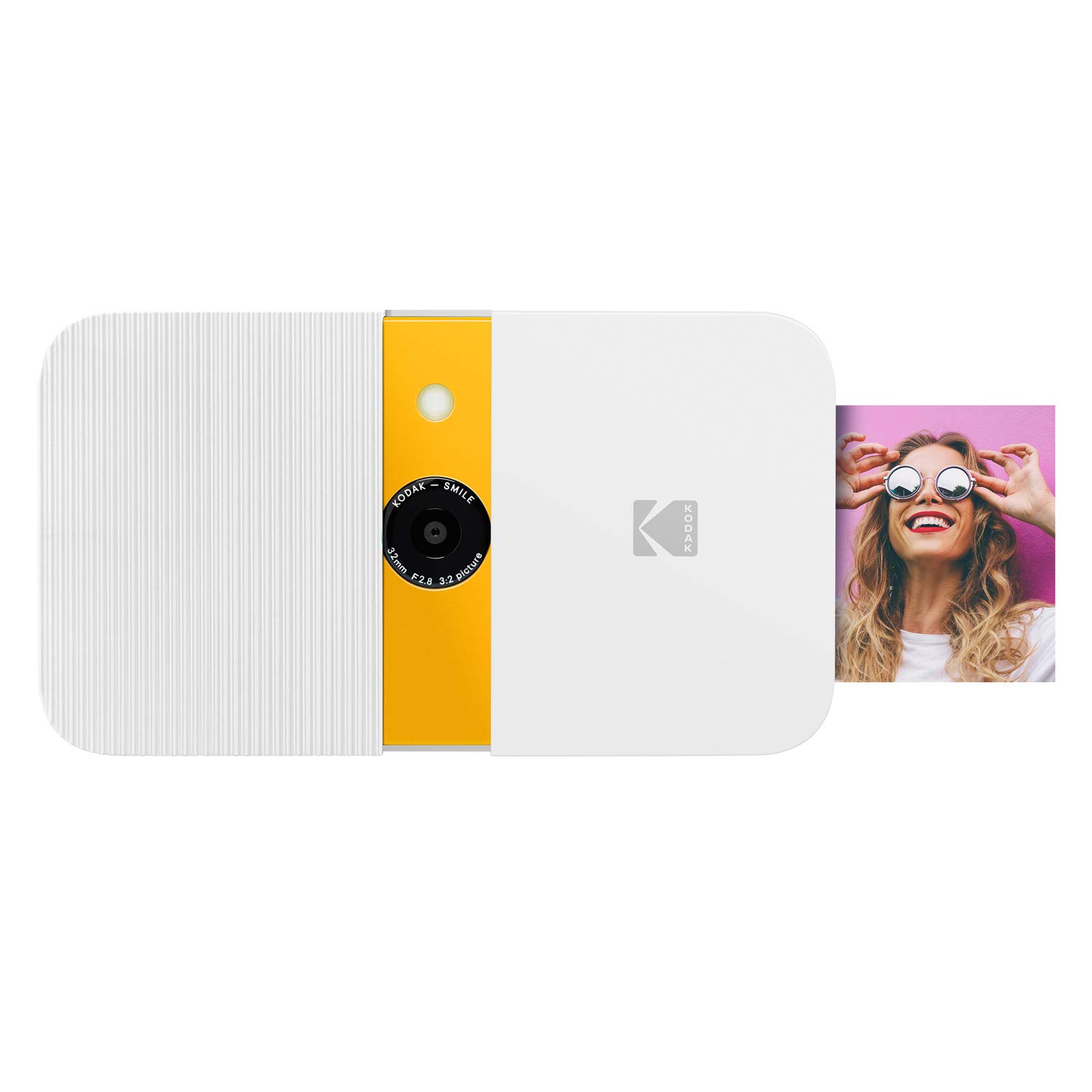
Consider the Smile if you prefer smaller adhesive-backed photos and want a rechargeable camera with an LCD and built-in editing. The Mini Shot 3 is the better fit when larger square prints and phone-to-printer use matter more.
- The Kodak Smile is a compact 10 MP camera that prints 2-by-3-inch Zink sticky-backed photos.
- It has an LCD viewfinder, built-in editor, auto flash, two picture modes, and a rechargeable battery rated for up to 40 prints per charge.
- The Mini Shot 3 Retro pairs a camera with a printer for 3-by-3-inch square dye-sublimation photos and also accepts phone images through Bluetooth.
Sticker-print alternative
200+ ratings
Read Amazon ReviewsKodak Smile+
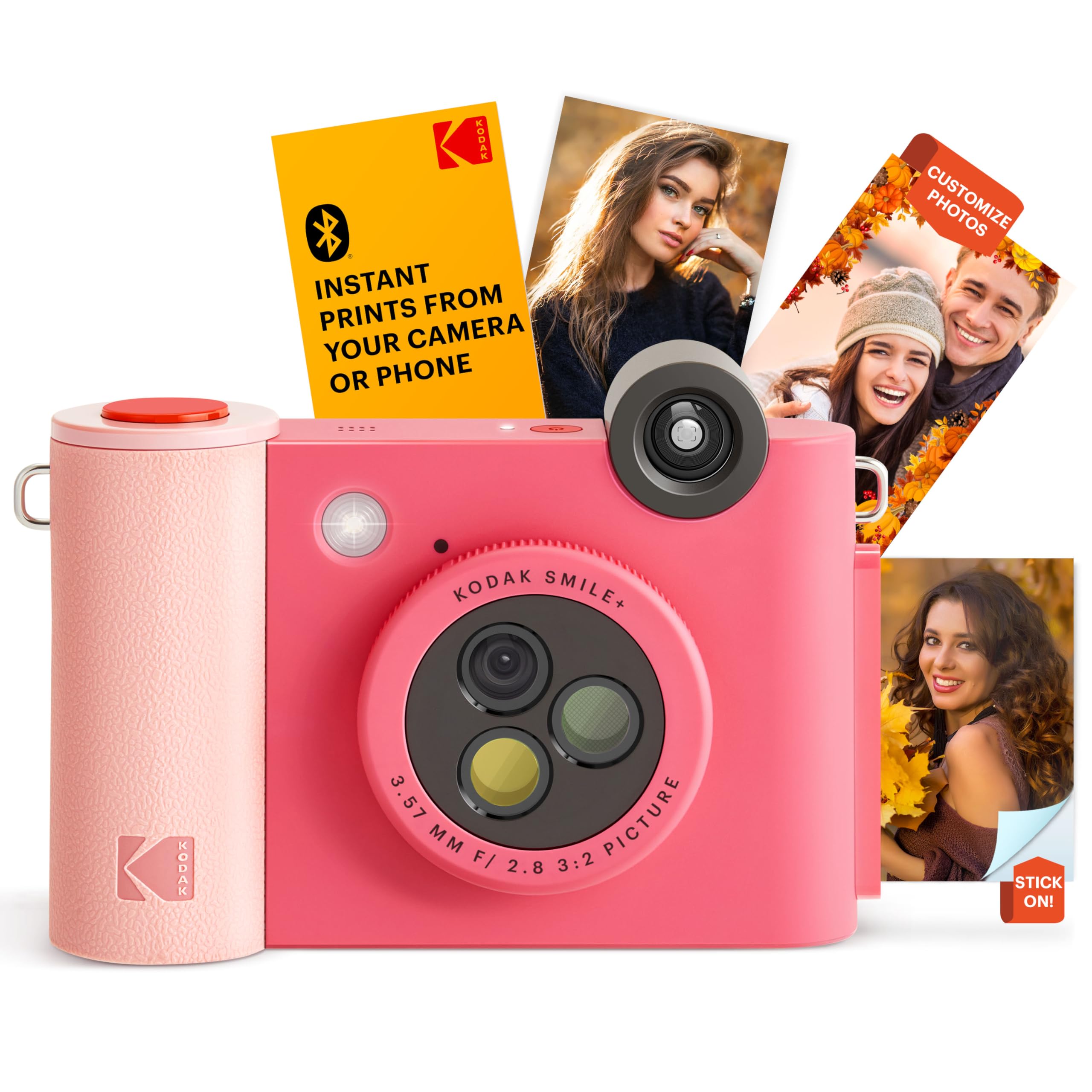
Choose Smile+ if you want smaller sticky-backed prints and camera-based filters, with app customization for smartphone photos. The Mini Shot 3 better suits buyers who value its larger square format and laminated dye-sublimation prints.
- The Kodak Smile+ is a 10 MP camera and Bluetooth printer that makes 2-by-3-inch Zink sticky-backed photos.
- Its rotating lens offers standard, retro, and star effects, and its app supports edits such as text, colors, and stickers.
- The Mini Shot 3 Retro prints larger 3-by-3-inch square photos using 4PASS dye sublimation and can print edited phone images through its app.
Is Kodak Mini Shot 3 Worth It?
The Kodak Mini Shot 3 Retro is worth considering if your goal is easy, casual photography paired with larger square prints.
Its camera, Bluetooth phone printing, simple controls, and starter paper bundle make it flexible for albums, parties, and creative projects.
Before buying, make sure the 3-by-3-inch format fits your storage and display plans, and account for the need to replenish cartridges and paper.
For buyers who want that square keepsake format in a portable camera-printer, it offers a practical all-in-one approach.
Your review at a glance
6,000+ ratings
Read Amazon ReviewsKodak Mini Shot 3 Retro
A good fit for casual photographers who want a pocketable camera and larger square prints, plus the option to print edited photos from a phone.
- Combines a digital instant camera and a portable photo printer in one device.
- Prints 3-by-3-inch square photos using 4PASS dye-sublimation printing, with three color layers and a clear protective lamination layer.
- Offers Bluetooth printing from compatible iOS and Android devices through the KODAK Photo Printer app, with options to edit and crop images.
- Includes a 10 MP still resolution, automatic exposure, auto and scene shooting modes, and an LCD viewfinder.