The KODAK Step Slim turns smartphone photos into small, shareable prints for albums, journals, and everyday decorating. This kodak step slim printer review looks at its portable Zink format, app-based editing, and the tradeoffs of choosing 2-by-3-inch prints.
KODAK Step Slim Review Summary
The quick verdict
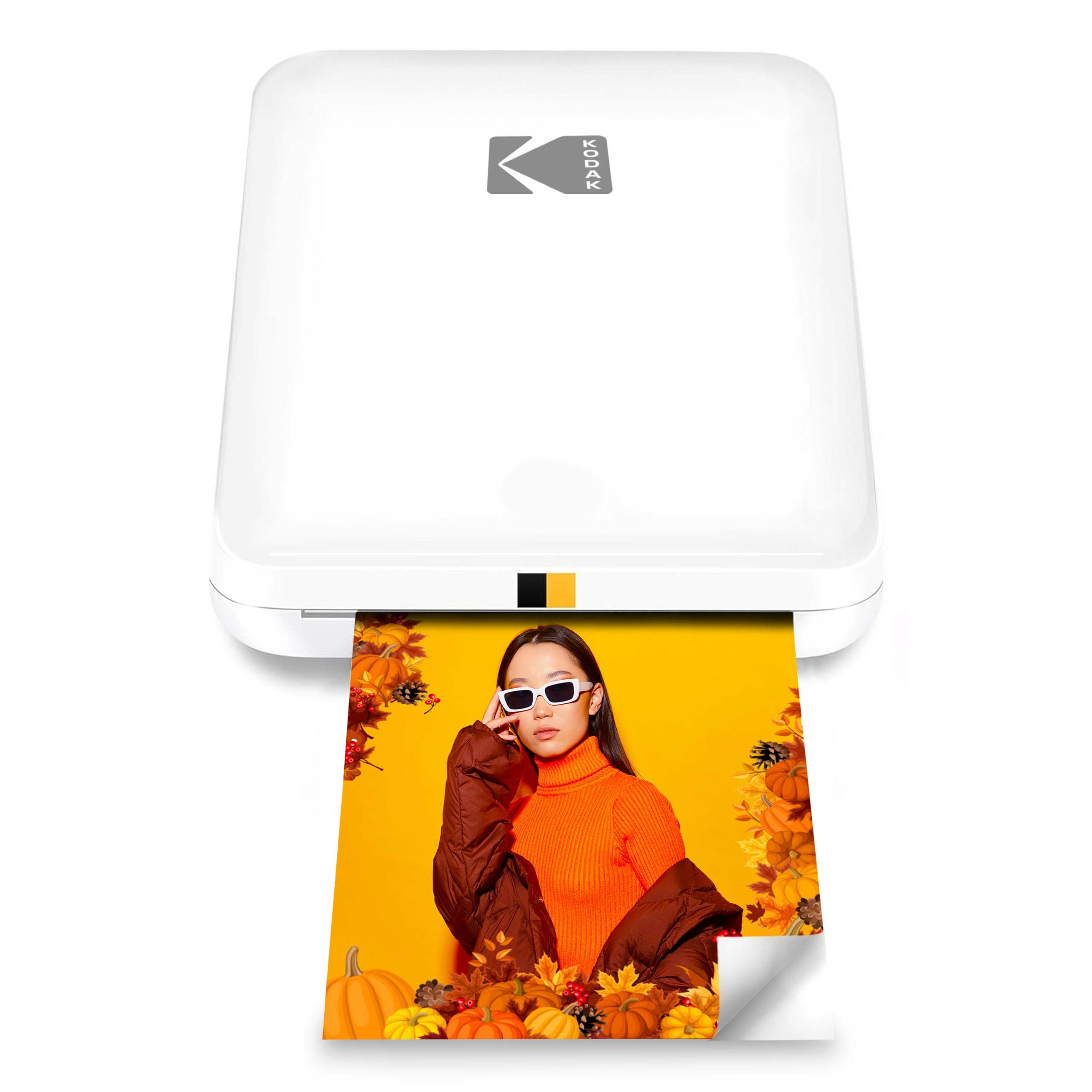
500+ ratings
Read Amazon ReviewsKODAK Step Slim Instant Photo Printer
A pocket-friendly phone photo printer for scrapbookers, travelers, and anyone who wants small adhesive-backed prints without ink cartridges.
- Prints color photos in a 2-by-3-inch format on Zink paper.
- Connects with iOS and Android smartphones through the KODAK STEP Prints app.
- The free app offers photo personalization tools, including frames and stickers.
- Zink printing uses paper with embedded color and requires no ink or toner.

Pros
- Compact form makes it convenient to bring along for trips and gatherings.
- Ink-free Zink printing avoids carrying or replacing ink and toner.
Consider before buying
- The 2-by-3-inch format is small for anyone wanting larger photo prints.
- Printing depends on a smartphone, the companion app, and compatible Zink paper.
Read the full review summary
The Step Slim is built around quick, casual printing: pair a compatible iOS or Android phone, choose a photo in the KODAK STEP Prints app, personalize it, and print on 2-by-3-inch Zink paper.
The paper needs no ink or toner, and its adhesive backing makes each print usable as a small sticker as well as a photo.
Its strongest fit is a person who values portable keepsakes and creative projects over larger prints or a general-purpose printer.
The compact, lightweight design and editing tools make it appealing for travel, social sharing, and scrapbooking; buyers should be comfortable with the small print size and the ongoing need for compatible Zink paper.
The buying factors
KODAK Step Slim Scorecard
Editorial scores reflect listed features and buyer fit; they are not laboratory measurements or customer ratings.
Portability
A lightweight, pocket-sized design is suited to carrying for trips and casual photo sharing.
Print format
Small 2-by-3-inch prints are handy for journals and decorating, though they leave little room for larger display photos.
Setup and phone use
The workflow centers on connecting a smartphone and printing through the KODAK app.
Creative options
The app supports personalizing photos with frames, stickers, and other editing features.
Paper convenience
Zink paper avoids ink and toner, while the sticky backing supports peel-and-stick use.
Use flexibility
Its design focuses on small phone photos, so it is best for keepsakes and crafts rather than broader printing needs.
Key Features and Specifications of KODAK Step Slim
- Prints color photos in a 2-by-3-inch format on Zink paper.
- Connects with iOS and Android smartphones through the KODAK STEP Prints app.
- The free app offers photo personalization tools, including frames and stickers.
- Zink printing uses paper with embedded color and requires no ink or toner.
- Printed photos are dry to the touch and have a peel-off adhesive backing.
- The slim, lightweight design is intended for portable use.
Pros and Cons of KODAK Step Slim
Pros
- Compact form makes it convenient to bring along for trips and gatherings.
- Ink-free Zink printing avoids carrying or replacing ink and toner.
- Sticky-backed prints work well for scrapbooks, journals, lockers, and other decorating projects.
- The companion app adds simple creative options before printing.
Consider before buying
- The 2-by-3-inch format is small for anyone wanting larger photo prints.
- Printing depends on a smartphone, the companion app, and compatible Zink paper.
- Its photo-focused design is less suitable for buyers seeking a versatile document printer.
Who Should Buy KODAK Step Slim?
Good fit
Consider the Step Slim if you want a small printer for turning phone photos into physical keepsakes on the go.
The pocket-sized form and adhesive-backed paper suit travel journals, scrapbooks, party favors, and casual sharing where compact prints are more useful than standard photo sizes.
It is also a reasonable fit if you enjoy editing images before printing. The app’s frames and stickers offer a lightweight way to personalize a photo, while Zink paper keeps the process free of ink and toner.
Before buying, check that the available 2-by-3-inch print format and compatible paper fit the way you plan to use it.
Who should skip it
Skip it if your main goal is larger prints for framing or a printer that handles everyday documents. The Step Slim is designed around small phone photos, so those uses may call for a different kind of printer.
It may also be a poor match if you prefer printing without relying on a smartphone app or do not want to keep compatible photo paper on hand.
KODAK Step Slim: a small format for phone photos
Portable printing for spontaneous keepsakes
A compact printer can make it easier to turn a phone image into something tangible while away from home.
The Step Slim’s lightweight, pocket-sized approach is practical for trips or gatherings, provided you are happy with prints sized for albums, journals, and stickers rather than large display use.
What ink-free Zink changes
Zink paper incorporates the color needed for printing, so the Step Slim does not require ink or toner.
That simplifies the consumables side of a portable setup, but paper remains essential; buyers should check ongoing paper availability and cost for their expected print volume.
An app-centered creative process
The KODAK STEP Prints app handles connection and photo customization, with tools such as frames and stickers. This favors users who want to edit on a phone before printing.
If you usually select and print from another device or prefer a more direct workflow, consider how comfortable you are with the app as part of every print.
Where adhesive-backed prints are most useful
A peel-and-stick backing gives each small print a second role as a decoration. That can suit scrapbooks, lockers, laptops, and other personal projects, while the same size and adhesive format may be less suitable for conventional framed-photo display.
Alternatives to KODAK Step Slim
Portable Photo Printers alternative
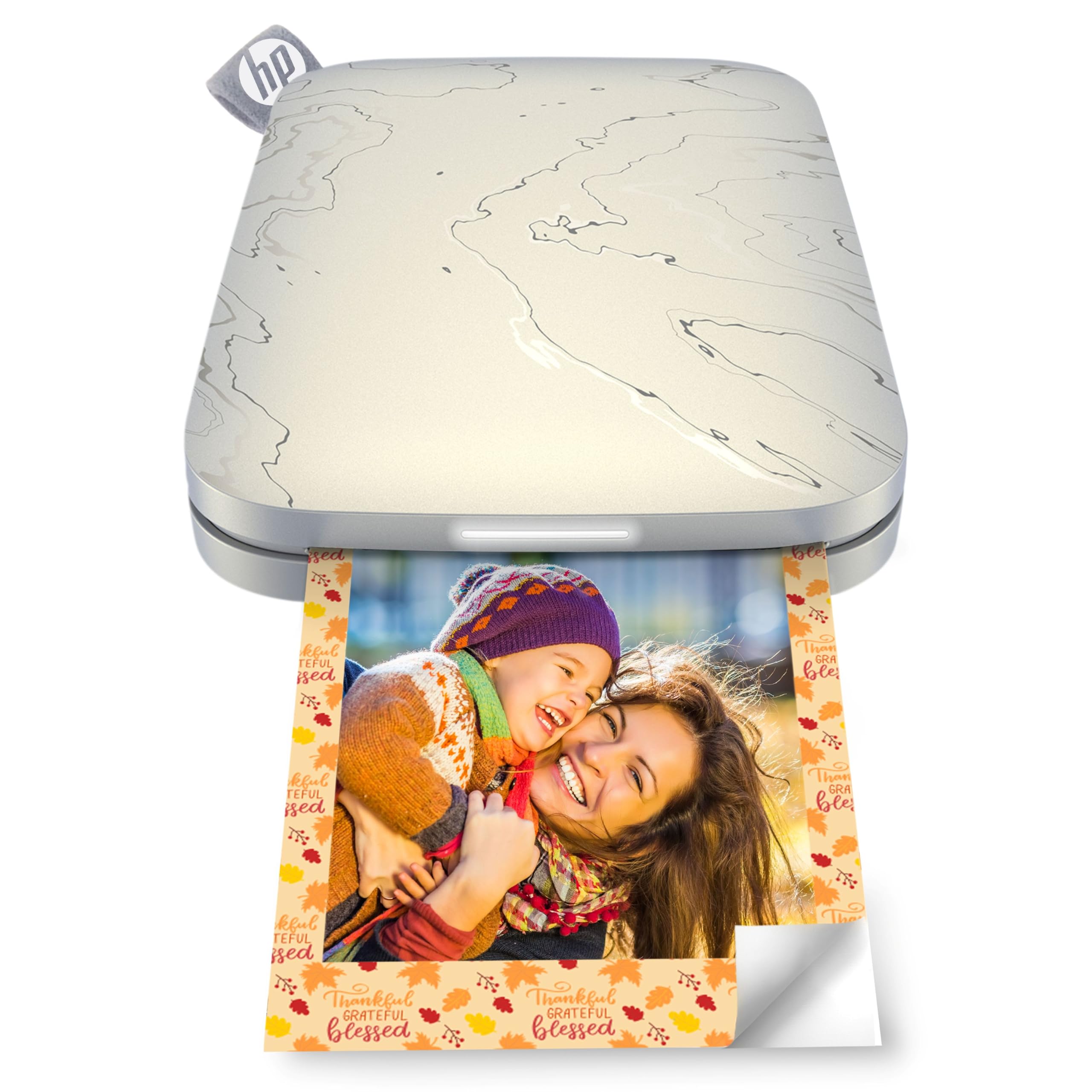
25,000+ ratings
Read Amazon ReviewsHP Sprocket Select
Choose the Step Slim if you prefer compact 2-by-3-inch prints for stickers and small craft projects. The Sprocket Select is the more suitable option if a somewhat larger print format matters more to you.
- The HP Sprocket Select prints larger 2.3-by-3.4-inch Zink photos and includes app editing tools such as frames and filters.
- The KODAK Step Slim prints small 2-by-3-inch adhesive-backed photos and uses the KODAK phone app for editing.
Portable Photo Printers alternative
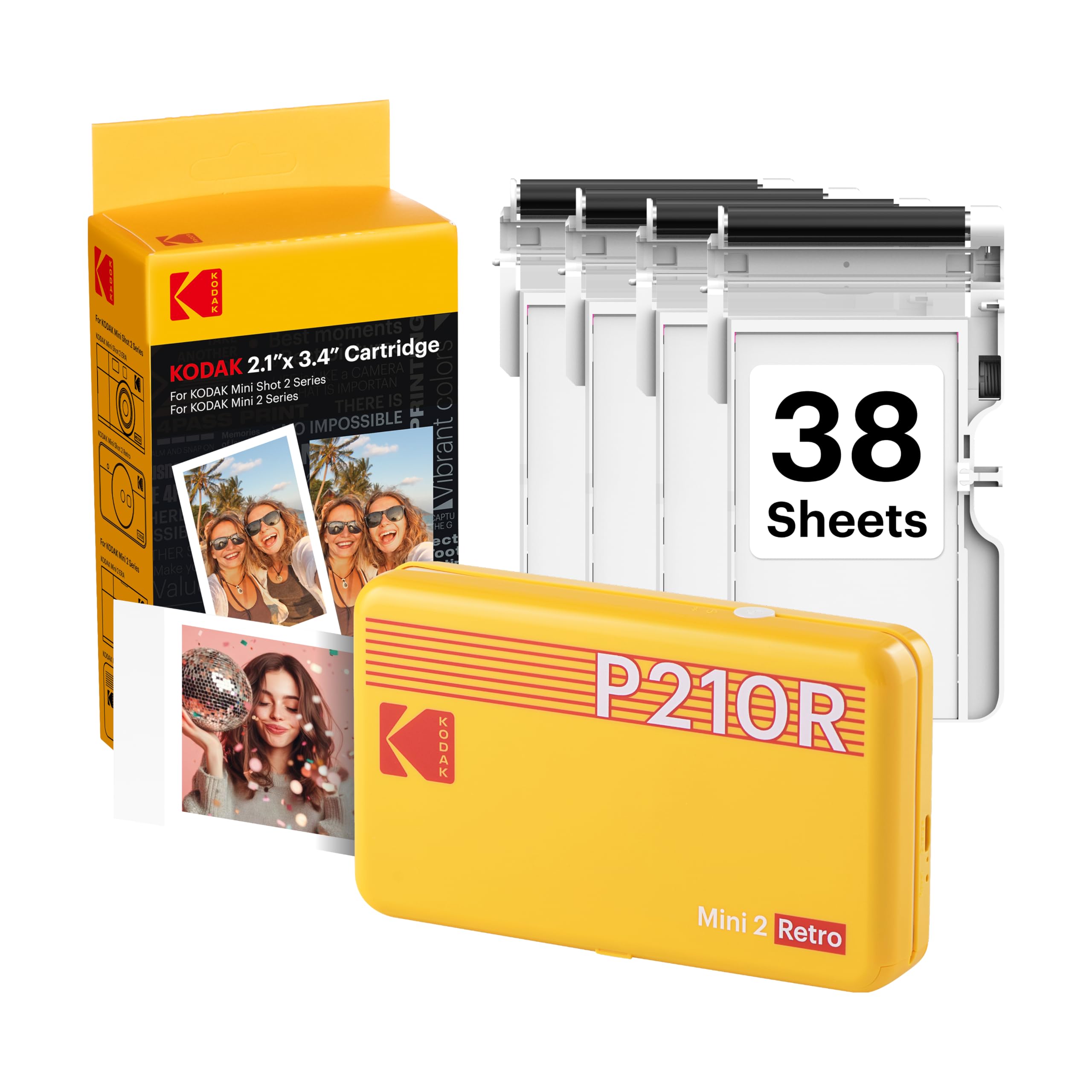
12,000+ ratings
Read Amazon ReviewsKODAK Mini 2 Retro
The Step Slim better fits buyers who prioritize an ink-free adhesive-print workflow. Consider the Mini 2 Retro if you prefer its dye-sublimation process and want a bundle that includes supplies to start printing.
- The Mini 2 Retro uses 4PASS dye-sublimation printing with cartridges and photo paper, and its bundle includes four cartridges and 38 sheets.
- The Step Slim uses Zink paper, avoiding ink and toner, and its prints have adhesive backing.
Is KODAK Step Slim Worth It?
The KODAK Step Slim is worth considering if you want an easy-to-carry printer for small phone photos, personalized through an app and ready to peel and stick.
Its ink-free Zink process and portable format suit casual keepsakes and craft use.
Buy it if 2-by-3-inch prints meet your needs and you are comfortable using the app and replenishing compatible photo paper. If you want larger prints or broader printer duties, look at a model designed around those priorities.
Your review at a glance
500+ ratings
Read Amazon ReviewsKODAK Step Slim Instant Photo Printer
A pocket-friendly phone photo printer for scrapbookers, travelers, and anyone who wants small adhesive-backed prints without ink cartridges.
- Prints color photos in a 2-by-3-inch format on Zink paper.
- Connects with iOS and Android smartphones through the KODAK STEP Prints app.
- The free app offers photo personalization tools, including frames and stickers.
- Zink printing uses paper with embedded color and requires no ink or toner.