The SABRENT 3 Port Aluminum Mini USB 3.0 Hub review is for shoppers who want a small way to add three USB connections without turning a portable setup into a larger desktop accessory.
Its rotatable connector and plug-and-play design are useful draws, while buyers should confirm that the host device’s USB connection and available power fit the devices they plan to use.
SABRENT Mini Hub Review Summary
The quick verdict
9,000+ ratings
Read Amazon ReviewsSABRENT 3 Port Aluminum Mini USB 3.0 Hub
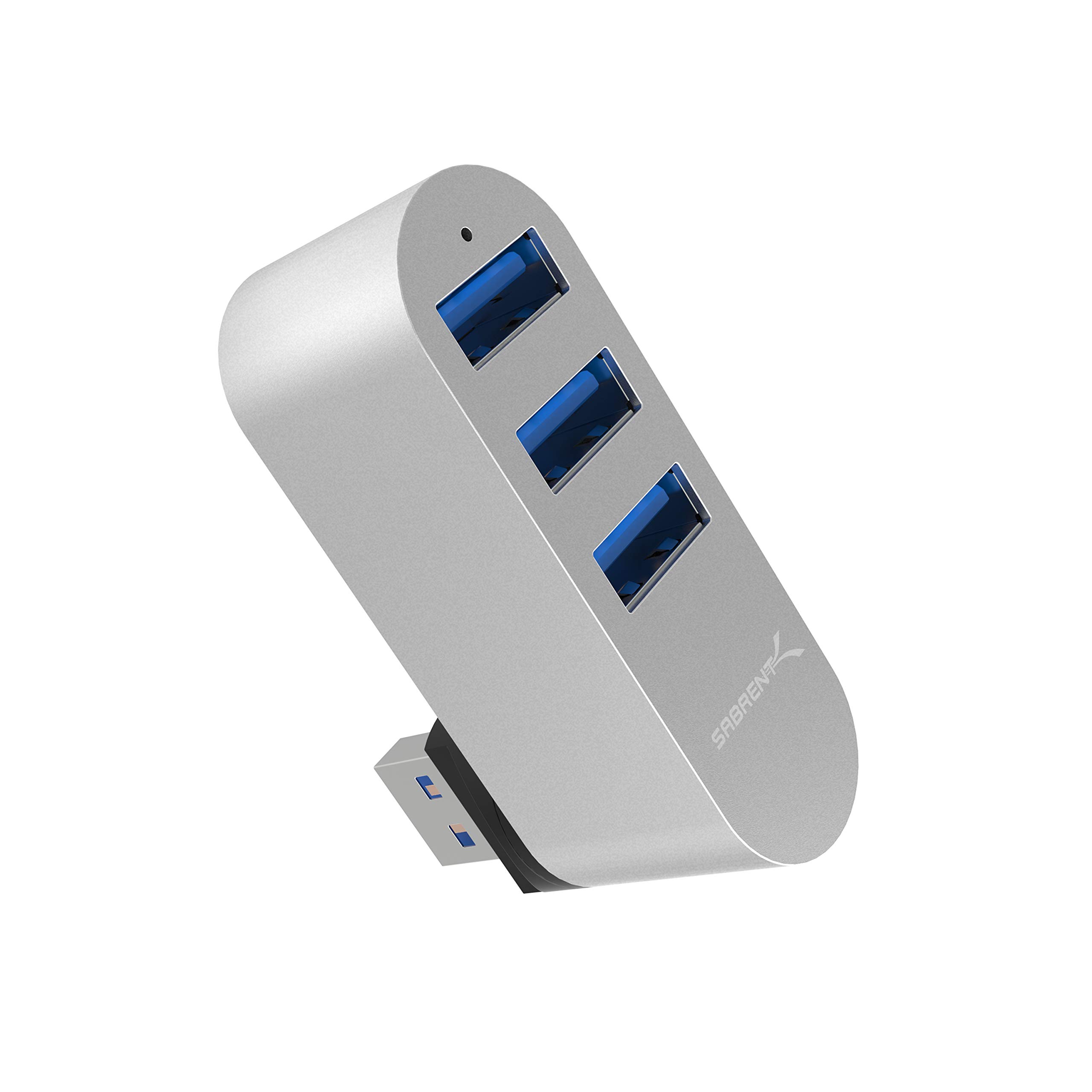
A compact pick for shoppers who need three USB 3.0 ports and a rotatable connector for a compatible Mac, Windows, or Linux setup.
- Three USB 3.0 ports for connecting compatible USB devices.
- Aluminum construction in a mini, compact form.
- USB connector rotates 90 or 180 degrees to accommodate different port orientations.
- Plug-and-play setup with hot-swappable and hot-pluggable operation.

Pros
- Adds three ports in a compact, lightweight form that is easy to carry.
- Rotating connector gives buyers more choice in how the hub sits against the host device.
Consider before buying
- Three ports may be limiting if several accessories need to stay connected at once.
- The provided details do not specify external power support or per-port power, so check before relying on it for power-hungry devices.
Read the full review summary
This mini hub combines three USB 3.0 ports with an aluminum body and a connector that rotates 90 or 180 degrees.
That adjustable angle can make the hub easier to position when the host port faces an awkward direction or sits close to a desk surface.
The compact, lightweight design also suits travel and occasional use with a laptop or desktop.
It is a practical fit for people who need a few extra USB connections for everyday peripherals and prefer a direct, uncomplicated setup. Compatibility is listed for Windows, Mac, and Linux systems.
The description does not specify cable length, external power input, per-port power, or detailed transfer-rate figures, so check your device and accessory requirements if those details affect your choice.
The buying factors
SABRENT Mini Hub Scorecard
Editorial scores reflect listed features and buyer fit; they are not laboratory measurements or customer ratings.
Port count
Three ports add useful flexibility for a compact hub, though a setup with many peripherals may need more.
Connector flexibility
The connector’s 90- and 180-degree rotation offers helpful positioning options around a host port.
Portability
Its mini, lightweight design is suited to carrying with a laptop or keeping in a small work bag.
Setup simplicity
Plug-and-play and hot-swappable operation point to a straightforward routine for supported devices.
Platform compatibility
Windows, Mac, and Linux are listed, giving it broad operating-system coverage.
Power and speed detail
USB 3.0 is identified, but the supplied product details do not give a transfer-rate figure or power specifications.
Key Features and Specifications of SABRENT Mini Hub
- Three USB 3.0 ports for connecting compatible USB devices.
- Aluminum construction in a mini, compact form.
- USB connector rotates 90 or 180 degrees to accommodate different port orientations.
- Plug-and-play setup with hot-swappable and hot-pluggable operation.
- Compatibility listed for Windows, Mac, and Linux systems.
- Designed with Mac Pro, iMac, MacBook Air, MacBook Pro, MacBook, and Mac mini among the suggested devices.
Pros and Cons of SABRENT Mini Hub
Pros
- Adds three ports in a compact, lightweight form that is easy to carry.
- Rotating connector gives buyers more choice in how the hub sits against the host device.
- Plug-and-play setup keeps routine connections simple.
- Listed support for Windows, Mac, and Linux broadens its potential use.
Consider before buying
- Three ports may be limiting if several accessories need to stay connected at once.
- The provided details do not specify external power support or per-port power, so check before relying on it for power-hungry devices.
- No specific transfer-rate figure is provided; buyers with speed-sensitive storage needs should confirm the expected performance for their setup.
Who Should Buy SABRENT Mini Hub?
Good fit
Consider this hub if you want a small expansion for a laptop or desktop that has a compatible USB port and you mainly need a few extra connections.
The rotating plug can be useful where a fixed connector angle would make placement awkward, and the compact body is an easy fit for a travel kit or spare desk accessory.
It is also a reasonable option for someone who values simple setup over a large collection of ports or extra functions.
Before buying, count the devices you intend to connect and check their power needs, along with the host computer’s port compatibility. Those checks matter especially if you expect the hub to support external storage or multiple devices simultaneously.
Who should skip it
Skip this model if your setup routinely needs more than three connected peripherals or calls for a hub with a specified power adapter or detailed port-level power information.
Choose a product whose listed capacity and power arrangement match that workload.
If your work depends on a stated transfer-rate target, compare models that publish the speed figures you need before deciding. USB 3.0 is identified here, but the supplied product details do not give a numerical rate.
How the SABRENT Mini Hub Fits a Compact Setup
A rotating connector for awkward ports
The ability to rotate the USB connector by 90 or 180 degrees is the hub’s clearest practical distinction.
It lets the user adjust the unit’s orientation to suit the host port, which may help when nearby surfaces or cables make a straight-on position inconvenient.
It remains a compact plug-in hub, so check the physical clearance around the laptop or computer port.
Three ports for everyday expansion
Three USB 3.0 ports provide a modest expansion step for a host device with limited USB connections. This suits a few peripherals better than a workstation built around many permanently attached devices.
Make a quick port count before choosing: if three is not enough for your normal routine, a larger hub will reduce the need to disconnect accessories.
Portability and build
The mini, lightweight format is geared toward carrying alongside a laptop, and the aluminum body gives the hub a more substantial material choice than a purely plastic design.
These details speak to size and construction, not a measured durability rating. For regular travel, consider how the hub will be stored and whether the connected cables can be arranged without putting strain on the host port.
Compatibility and setup checks
The product is described as plug-and-play and hot-swappable, with Windows, Mac, and Linux compatibility.
That makes it a straightforward candidate for common USB peripherals, but the host’s port and the connected devices still determine what will work well together.
Check power requirements for demanding accessories and verify the performance expectations for any storage device you plan to use.
Alternatives to SABRENT Mini Hub
USB Hubs alternative
2,000+ ratings
Read Amazon ReviewsSABRENT 4-Port Aluminum USB 3.0 Hub (HB-MC3B)
Choose the mini hub if its rotating connector and compact direct-plug form suit your space.
Consider the four-port model if you want an extra connection or prefer a cable between the hub and host; its listed transfer-rate ceiling may also help when comparing stated speed requirements.
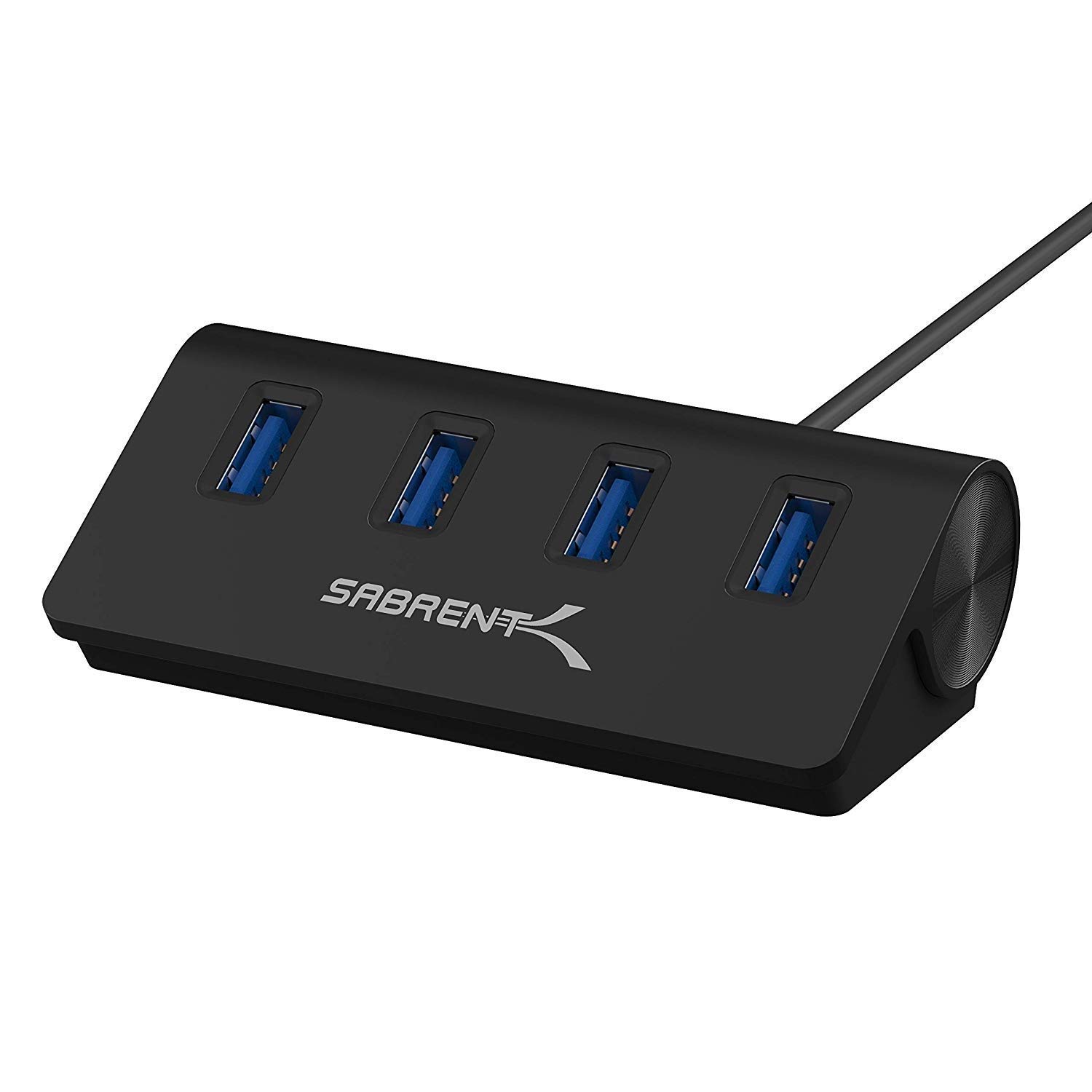
- This aluminum hub provides four USB 3.0 ports and connects to the host through a 2.5-foot USB 3.0 cable.
- It lists support for transfer speeds up to 5Gbps and is described as plug-and-play and hot-swappable.
- The SABRENT mini hub offers three USB 3.0 ports, an aluminum body, and a rotatable connector in a compact design.
USB Hubs alternative
188,000+ ratings
Read Amazon ReviewsSABRENT USB-C 6-Port Hub & M.2 SSD Dock (HB-6PNV)
The mini hub is the simpler choice when three USB connections and compact size are enough.
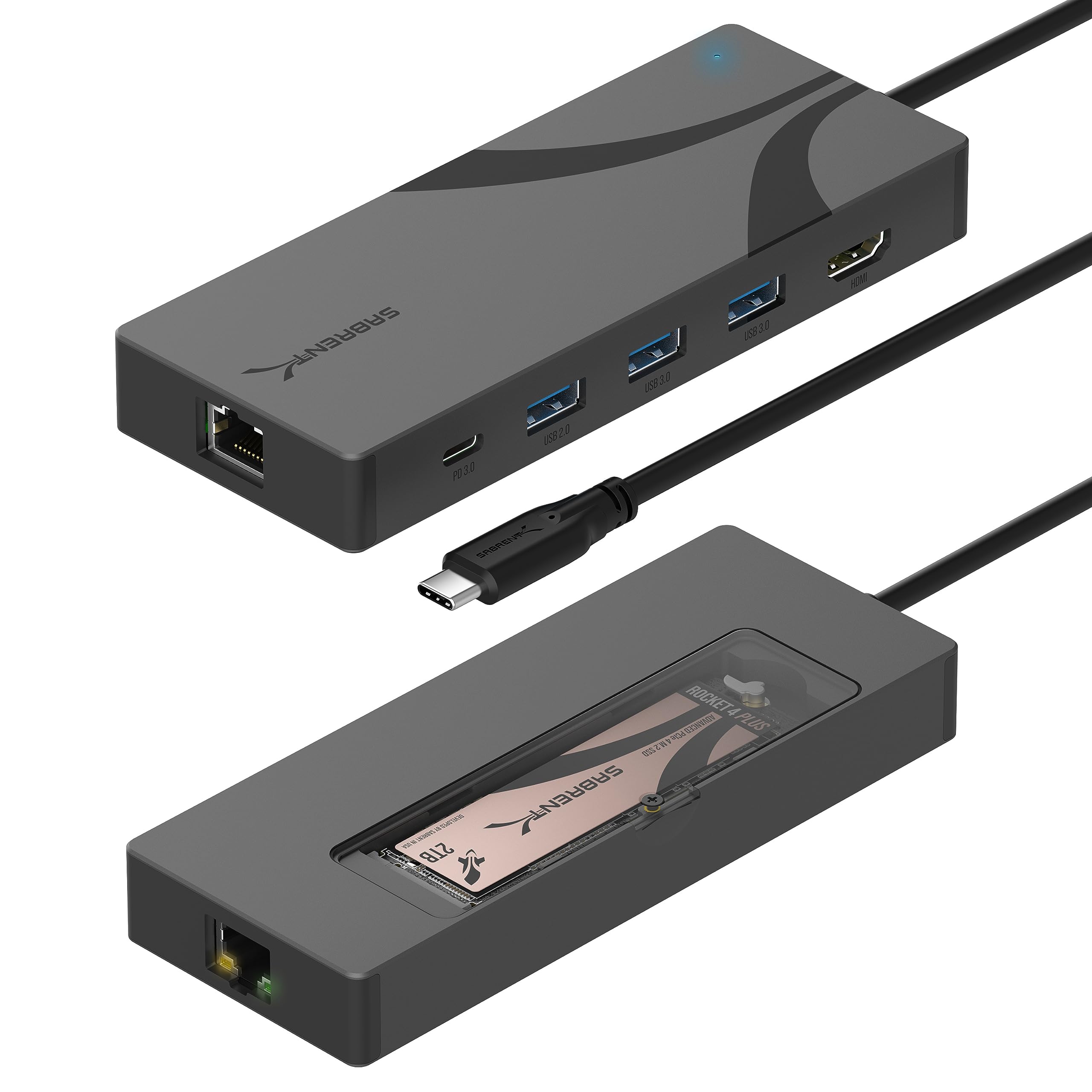
The six-port dock is a better fit for a USB-C workstation that also needs internal M.2 storage, wired networking, display output, or charging pass-through, provided the host supports the required features.
- This USB-C hub combines six ports with an M.2 NVMe or SATA drive enclosure, HDMI output, Gigabit Ethernet, and up to 90W USB Power Delivery pass-through.
- Its drive slot supports 2242, 2260, and 2280 drives and runs at up to 5Gbps; video output requires a host with DisplayPort Alternate Mode.
- The mini hub is a three-port USB 3.0 expansion accessory with a rotatable connector and a compact form.
Is SABRENT Mini Hub Worth It?
The SABRENT 3 Port Aluminum Mini USB 3.0 Hub is worth considering when you want three extra USB connections in a compact package and value a connector that can rotate to fit your workspace.
Its plug-and-play approach and listed Windows, Mac, and Linux compatibility make it a practical everyday option for modest expansion.
Buy it after confirming that three ports are enough, the host connection is suitable, and your accessories’ power and speed needs align with the details available.
If you need a larger desktop arrangement or specific power and transfer guarantees, compare hubs with those requirements spelled out.
Your review at a glance
9,000+ ratings
Read Amazon ReviewsSABRENT 3 Port Aluminum Mini USB 3.0 Hub
A compact pick for shoppers who need three USB 3.0 ports and a rotatable connector for a compatible Mac, Windows, or Linux setup.
- Three USB 3.0 ports for connecting compatible USB devices.
- Aluminum construction in a mini, compact form.
- USB connector rotates 90 or 180 degrees to accommodate different port orientations.
- Plug-and-play setup with hot-swappable and hot-pluggable operation.