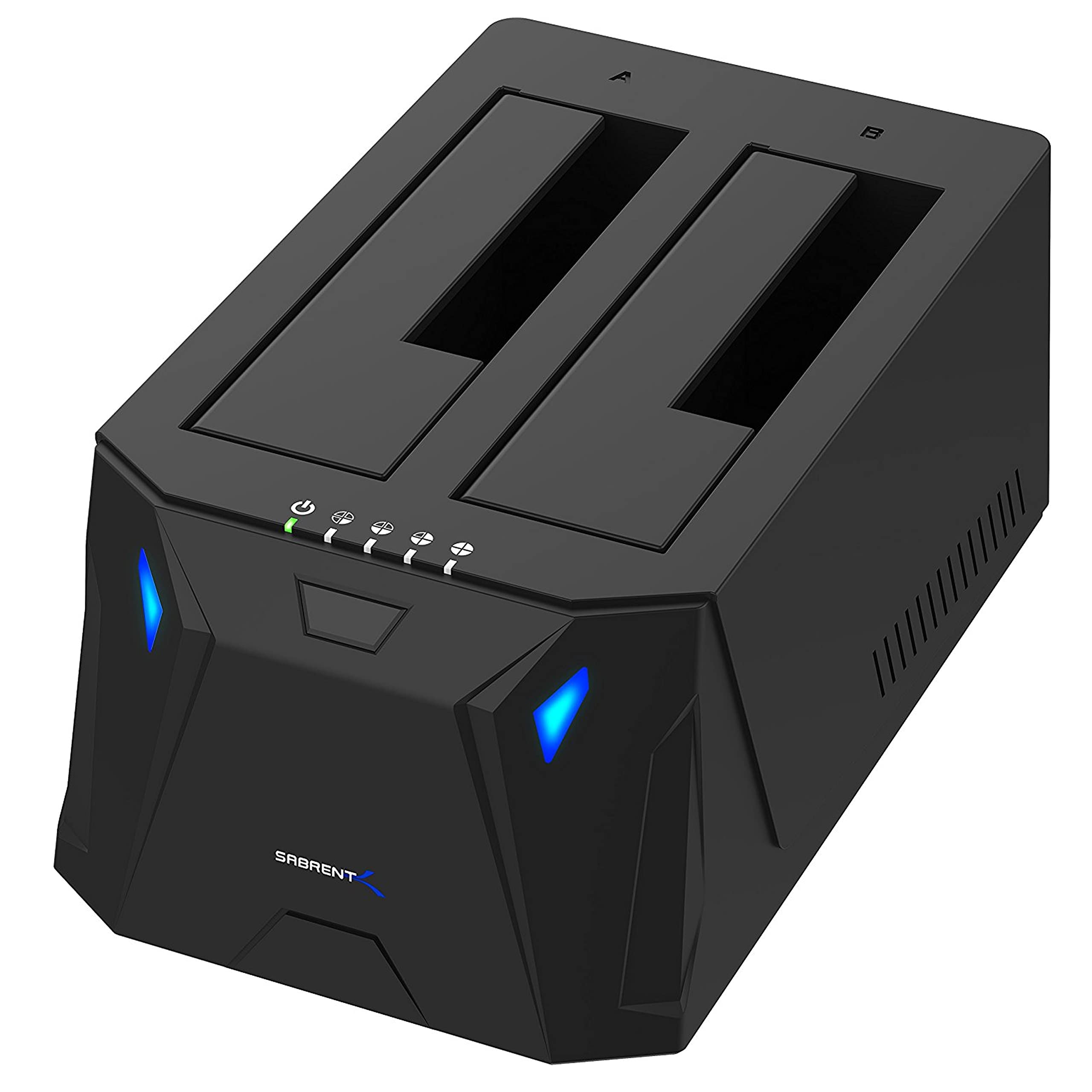
The SABRENT EC-HD2B is a USB 3.0 dual-bay dock for standard 2.5-inch and 3.5-inch SATA hard drives and SSDs, with a separate offline cloning function.
This sabrent ec hd2b review looks at where its combination of drive access and direct cloning fits best.
SABRENT EC-HD2B Review Summary
The quick verdict
17,000+ ratings
Read Amazon ReviewsSABRENT EC-HD2B
A practical fit for buyers who want to access two standard SATA drives or clone one drive to another without connecting a computer.
- Dual-bay docking station for standard 2.5-inch or 3.5-inch SATA hard drives and SSDs.
- Supports SATA I, SATA II, and SATA III drives.
- Offline cloning function for drive-to-drive copying without a computer, with a listed speed of up to 60Mbps.
- USB 3.0 connection with transfer speeds up to 5Gbps; USB 2.0 and USB 1.1 are also supported at their respective lower maximum speeds.

Pros
- Combines regular computer-connected drive access with offline cloning.
- Accepts both 2.5-inch and 3.5-inch SATA drives, including HDDs and SSDs.
Consider before buying
- The stated 10TB drive limit may not suit buyers working with larger drives.
- The listed offline cloning speed is up to 60Mbps, so cloning may take time; estimate the transfer duration before scheduling a large migration.
Read the full review summary
The EC-HD2B pairs two drive bays with a USB connection for accessing storage on a computer and a standalone cloning mode.
It supports SATA I, II, and III drives, requires no drivers for plug-and-play use, and lists host transfer speeds up to 5Gbps over USB 3.0, with lower maximums over USB 2.0 and USB 1.1.
That makes it most relevant to people who regularly work with bare SATA drives, such as for backups, migration, or retrieving files.
Its key convenience is having both ordinary dock use and offline cloning in one unit; buyers should check the drive capacity and cloning-speed limits against their specific job before relying on it for a large or time-sensitive transfer.
The buying factors
SABRENT EC-HD2B Scorecard
Editorial scores reflect listed features and buyer fit; they are not laboratory measurements or customer ratings.
Drive-format flexibility
Works with standard 2.5-inch and 3.5-inch SATA HDDs and SSDs across SATA I, II, and III.
Two-drive workflow
The dual-bay design supports working with two drives in one dock.
Offline cloning
Cloning without a computer is useful for direct drive duplication, though the listed cloning speed is modest.
Computer connectivity
USB 3.0 reaches up to 5Gbps, with backward compatibility at lower USB 2.0 and 1.1 maximums.
Setup simplicity
Plug-and-play operation requires no drivers.
Capacity headroom
The product details give a maximum of 10TB per supported drive, so check that against the intended drives.
Key Features and Specifications of SABRENT EC-HD2B
- Dual-bay docking station for standard 2.5-inch or 3.5-inch SATA hard drives and SSDs.
- Supports SATA I, SATA II, and SATA III drives.
- Offline cloning function for drive-to-drive copying without a computer, with a listed speed of up to 60Mbps.
- USB 3.0 connection with transfer speeds up to 5Gbps; USB 2.0 and USB 1.1 are also supported at their respective lower maximum speeds.
- Plug-and-play operation with no drivers required.
- Supports hard drives up to 10TB.
Pros and Cons of SABRENT EC-HD2B
Pros
- Combines regular computer-connected drive access with offline cloning.
- Accepts both 2.5-inch and 3.5-inch SATA drives, including HDDs and SSDs.
- USB 3.0 provides a straightforward connection to a compatible computer.
- No driver installation is needed for plug-and-play use.
Consider before buying
- The stated 10TB drive limit may not suit buyers working with larger drives.
- The listed offline cloning speed is up to 60Mbps, so cloning may take time; estimate the transfer duration before scheduling a large migration.
- USB 3.0's 5Gbps figure is a maximum interface rate, not a guaranteed drive transfer speed; actual results depend on the drives and setup.
Who Should Buy SABRENT EC-HD2B?
Good fit
Consider the EC-HD2B if you want one dock for occasional access to bare SATA drives and direct drive-to-drive cloning.
The two bays and support for both desktop-size and smaller drives give it flexibility for routine file retrieval, backup tasks, and storage migration.
It may also suit a home office or repair bench where drives are swapped in and out and a computer-free cloning option is useful.
Before buying, confirm that your drives are standard SATA models within the stated 10TB maximum and that the listed cloning rate works for the amount of data you need to copy.
Who should skip it
Look elsewhere if your workflow depends on drives larger than 10TB or on cloning large volumes under a tight deadline.
The product details give a maximum drive capacity and cloning speed, so compare those limits with the exact drives and time available for your task.
This is not the right match if your storage is not a standard 2.5-inch or 3.5-inch SATA HDD or SSD. Check the drive interface and physical format before choosing a dock.
What the SABRENT EC-HD2B Means for Everyday Drive Work
Two bays make drive handling more flexible
A dual-bay dock can make it easier to work with two drives in the same setup, whether the goal is to access files or prepare a direct clone.
That combination is useful when drive work is occasional and a separate single-purpose cloning device would be less convenient.
Offline cloning trades host dependence for a speed check
The cloning function operates without a computer, which can simplify a direct source-to-destination copy.
The listed maximum is up to 60Mbps, so buyers moving a substantial amount of data should plan for a potentially lengthy process and confirm that their task does not require a faster turnaround.
USB speed depends on the whole setup
USB 3.0 supports a listed interface maximum of 5Gbps, while USB 2.0 and USB 1.1 connections have lower maximums.
A compatible USB 3.0 port is the sensible pairing for faster computer-connected transfers, but the interface figure alone does not establish the speed of a particular drive operation.
Capacity and drive type define fit
The dock is designed for standard 2.5-inch and 3.5-inch SATA HDDs and SSDs, with a stated drive limit of 10TB.
Check both the interface and the capacity of each drive before purchase, particularly if the dock is intended for a specific migration or backup project.
Alternatives to SABRENT EC-HD2B
Hard Drive Docking Stations alternative
1,000+ ratings
Read Amazon ReviewsSABRENT EC-CH2B USB-C Dual-Bay Dock
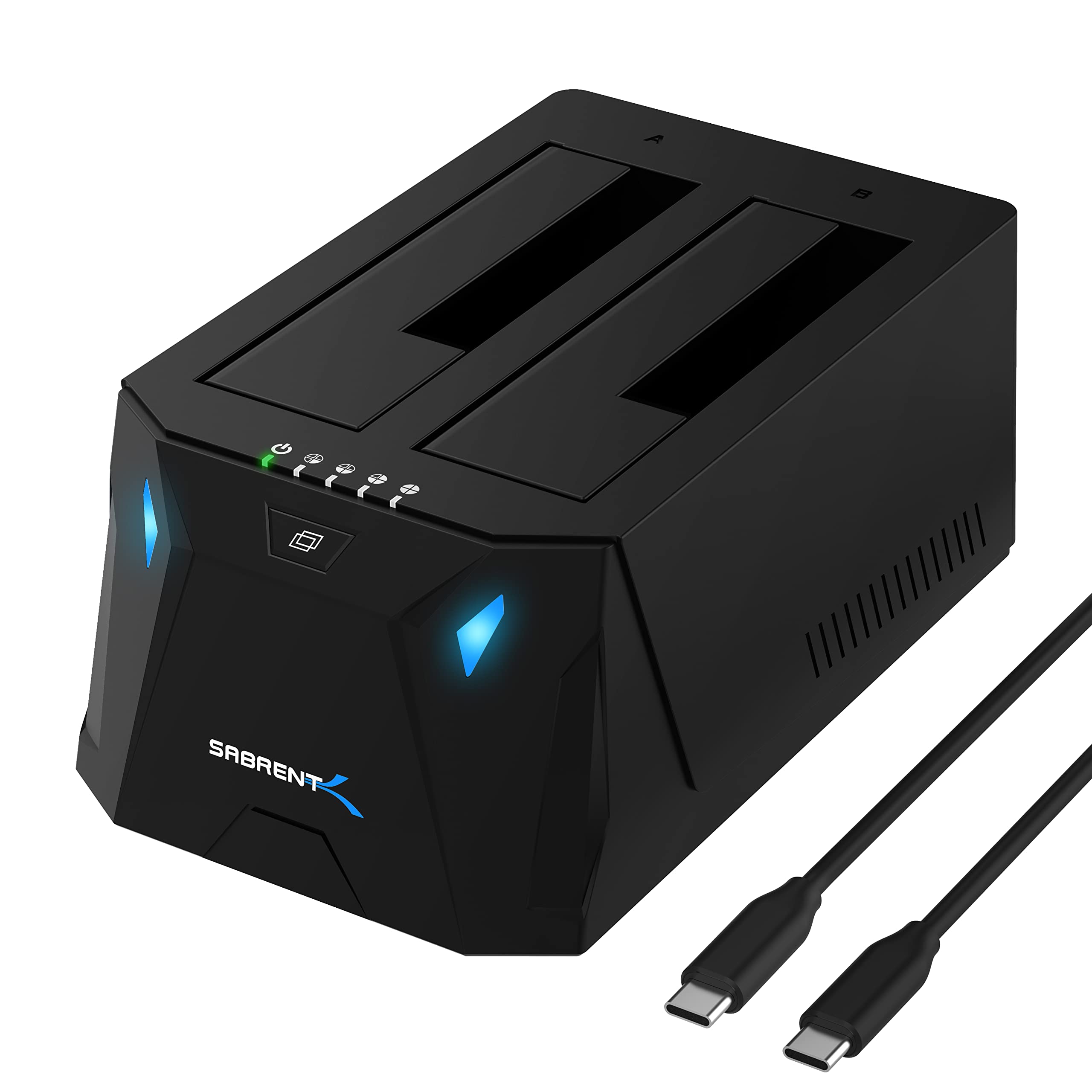
Choose the EC-CH2B if you need USB Type-C connectivity or support for higher-capacity drives. The EC-HD2B remains a fit when its stated 10TB capacity limit is sufficient and USB 3.0 meets your connection needs.
- The EC-CH2B is a dual-bay USB Type-C SATA dock for 2.5-inch and 3.5-inch drives.
- Its details list offline cloning up to 60MBps, USB transfer speeds up to 5Gbps, and support for drives over 20TB.
- The EC-HD2B uses USB 3.0 and lists support for drives up to 10TB, alongside offline cloning up to 60Mbps.
Hard Drive Docking Stations alternative
17,000+ ratings
Read Amazon ReviewsSABRENT DS-U3B4 4-Bay Dock
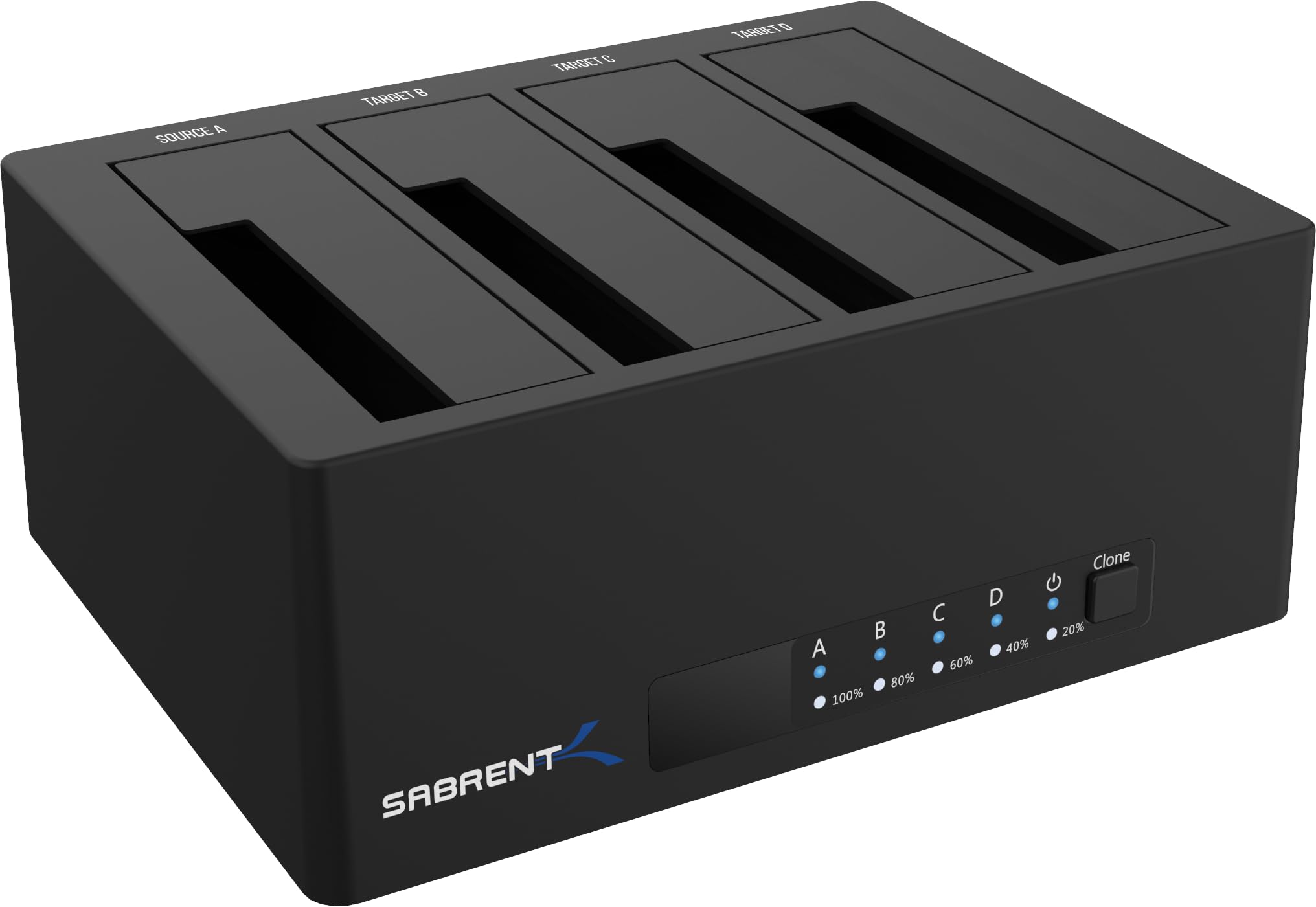
Consider the DS-U3B4 if you need to keep or manage more drives in one dock. The EC-HD2B is the more suitable match when a two-bay setup covers the job and you do not need four-bay capacity.
- The DS-U3B4 holds up to four 2.5-inch or 3.5-inch SATA drives, connects over USB 3.0 at up to 5Gbps, and includes offline cloning with LED progress indicators.
- The EC-HD2B holds two standard 2.5-inch or 3.5-inch SATA drives and includes offline cloning.
Is SABRENT EC-HD2B Worth It?
The SABRENT EC-HD2B is worth considering if your work involves standard SATA drives and you value having computer-connected access and offline cloning in one two-bay dock.
Its plug-and-play setup and support for both 2.5-inch and 3.5-inch drives make it adaptable for everyday drive handling.
Check the 10TB per-drive limit and the listed cloning speed against your intended task before committing.
If those fit, the EC-HD2B offers a practical combination of access and cloning; if capacity or turnaround time is central, choose a model whose stated specifications better match that need.
Your review at a glance
17,000+ ratings
Read Amazon ReviewsSABRENT EC-HD2B
A practical fit for buyers who want to access two standard SATA drives or clone one drive to another without connecting a computer.
- Dual-bay docking station for standard 2.5-inch or 3.5-inch SATA hard drives and SSDs.
- Supports SATA I, SATA II, and SATA III drives.
- Offline cloning function for drive-to-drive copying without a computer, with a listed speed of up to 60Mbps.
- USB 3.0 connection with transfer speeds up to 5Gbps; USB 2.0 and USB 1.1 are also supported at their respective lower maximum speeds.